
Sync the changes of WordPress Staging Site to the Live Site

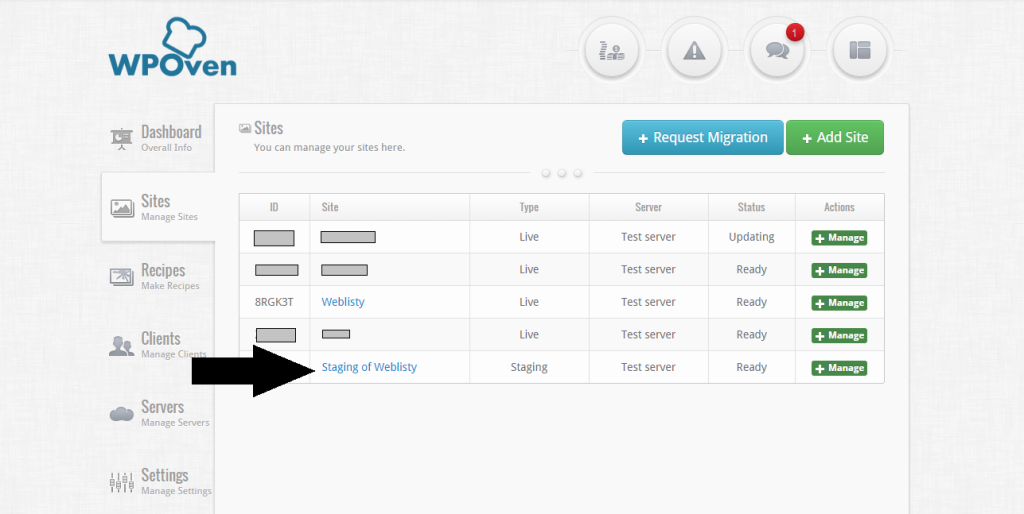
Now you can Sync the changes you made to your Staging Site over to the Live Site with just a click of a button. To Sync the changes to the Live Site :   1. Click on the required Staging Site from the WPOven Site Dashboard. sync1
Vikrant DattaVikrant DattaI am a Co-Founder at WPOven INC currently living in Vancouver, Canada. My interests range from Web Development to Product development and Client projects. I am also interested in web development, …

Best Project Management Plugins for WordPress

Project Management Plugins
WP Project Manager  (Free/Premium) WP Project Manager allows you to move your management functions in-house as opposed to having to log in to an external site multiple times a day. WP Project Manager has a premium upgrade that cost up to $199 (WP Project Manager Pro) which gives unlimited site support. Easily add projects to manage from inside WordPress Collaborate with team members based on their user levels Get an overview of your project list with a Calendar function You control user roles, …

Introducing the New ‘Micro’ plan

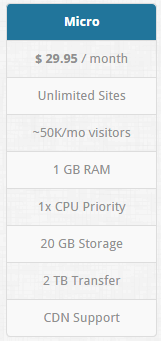
micro     We have added one more super fast server plan with unlimited WP site installs and unmetered visits. The ‘Micro’ Plan is priced at $29.95 per month Vikrant Datta Vikrant Datta I am a Co-Founder at WPOven INC currently living in Vancouver, Canada. My interests range from Web Development to Product development and Client projects. I am also interested in web development, WordPress, and entrepreneurship. …

Quick Tools added to better manage your site

WPOven is happy to inform you the addition of Quick Tools, to your WPOven dashboard, to help you mange your site and fix common issues faster. We have added 4 tools for your convenience To access the tools, simply login to your WPOven admin section and go to “Sites” and click on the site for which you wish to use the tools on. You can access tools under the “Tools” section as shown in the screenshot below. …

New ‘Site Locks’ to protect your site from Malware

Seeing the recent increase in attempted malware infections, WPOven has introduced Site Locks. What it does : Locks the important WordPress files and does not allow any changes to them without authentication by entering the SFTP username and password. For Example if you have locked your site and you wish to Install / Upgrade a plugin or a theme, you would be prompted to enter the SFTP login information before doing so. How can I do it : To activate your site lock, …